Dashboard
The Procest dashboard is the landing page of the application, providing a high-level overview of the current user's case management workload.
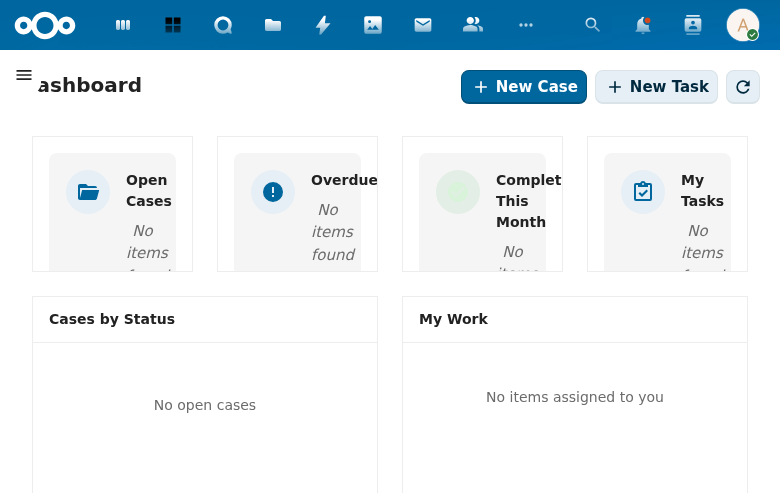
Overview
The dashboard displays four summary cards at the top:
- Open Cases -- Total number of active/open cases (e.g., 15).
- Overdue -- Cases that have exceeded their processing deadline.
- Completed This Month -- Cases resolved within the current calendar month.
- My Tasks -- Tasks assigned to the current user.
Below the summary cards, two panels provide quick access to key information:
Cases by Status
A horizontal bar chart showing the distribution of cases across different statuses. This gives case workers an immediate sense of the pipeline.
My Work
A list of cases assigned to the current user, showing:
- Case type badge (CASE)
- Case identifier (e.g., #ZAAK-TEST-006)
- Days remaining until the processing deadline
Actions
Two primary action buttons are available at the top:
- New Case -- Opens the case creation form.
- New Task -- Opens the task creation form.
- Refresh dashboard -- Reloads dashboard data (disabled when already current).
Navigation
The left sidebar provides navigation to all major sections:
- Dashboard (current)
- My Work
- Cases
- Tasks
- Documentation
- Settings (expandable, with Case Types and Configuration sub-pages)